.png&w=3840&q=75)
Introducing Smart Schema
Accurate extraction starts with your schema. Today, we're introducing Smart Schema in our Studio experience to help teams autonomously create contextually aware schemas and improve them automatically.
Getting a production-ready extraction schema is one of the major obstacles that document-heavy teams face. At Reducto, we have years of experience helping teams build accurate, tailored pipelines across nearly every use case and industry imaginable.
Now we're introducing Smart Schema in our Studio experience, to help teams autonomously create contextually aware schemas and improve them automatically.
Good extract results start with good quality schemas
Getting effective extract results (pulling specific fields from documents as structured JSON) depend heavily on how you define the data pulled. It may sound obvious, but the more clear and specific the way instructions are defined to models, the better chance they have to understand the task at hand.
Take for example a document pipeline for identification cards, where you might receive IDs from any possible country. As part of this pipeline, you might extract a field pertaining to who issued the ID card. Compare an individual field in one schema to another:
Schema 1:
json"issuing_authority": {
      "type": "string",
      "description": "Issuer of identification"
},
Schema 2:
json"issuing_country": {
  "type": "string",
  "description": "Exact name of the country shown on the document as the issuer. Copy the text as written when possible (United States of America, Republic of Kenya). Do not return generic values like 'government' or 'issuer', or another issuer that is not a country."
}
With the second option, the model doesn’t need to do much reasoning over what the issuer is on the page; there are common example options, and it can use those to find types that don't exist in the description, too. For the first, the model might interpret any possible entity as an “issuing authority”, which would technically be true - but isn’t what you’re looking for if it returns a state or department.
Extrapolate this individual case to 100, 500, 1000+ fields, and it’s easy to see how a schema can make or break the accuracy of your document workflow.
Creating good schemas is hard. Let Reducto solve it.
Despite the importance of creating a good schema, teams regularly run into the same issues creating one:
- For teams with no prior experience creating extraction schemas, getting to high accuracy can be a drawn-out process.
- Careful definition of extraction fields and prompts can make or break a pipeline’s results, but doing so for large schemas is time-consuming.
- Diagnosing common problems is difficult without a strong understanding of schema design.
- Iterating requires repeated trial and error, which requires keeping track of changes and versioning.
In other words, the bottleneck can often be the schema creation itself, rather than extraction model quality or even the engineering implementation. At Reducto, we’ve created Smart Schema: better and easier ways to both generate and improve your extraction schema automatically.
Reducto’s Approach to Building New Schemas
Smart Schema gives teams two options to create new schemas: Fast Mode and Enhanced Mode.
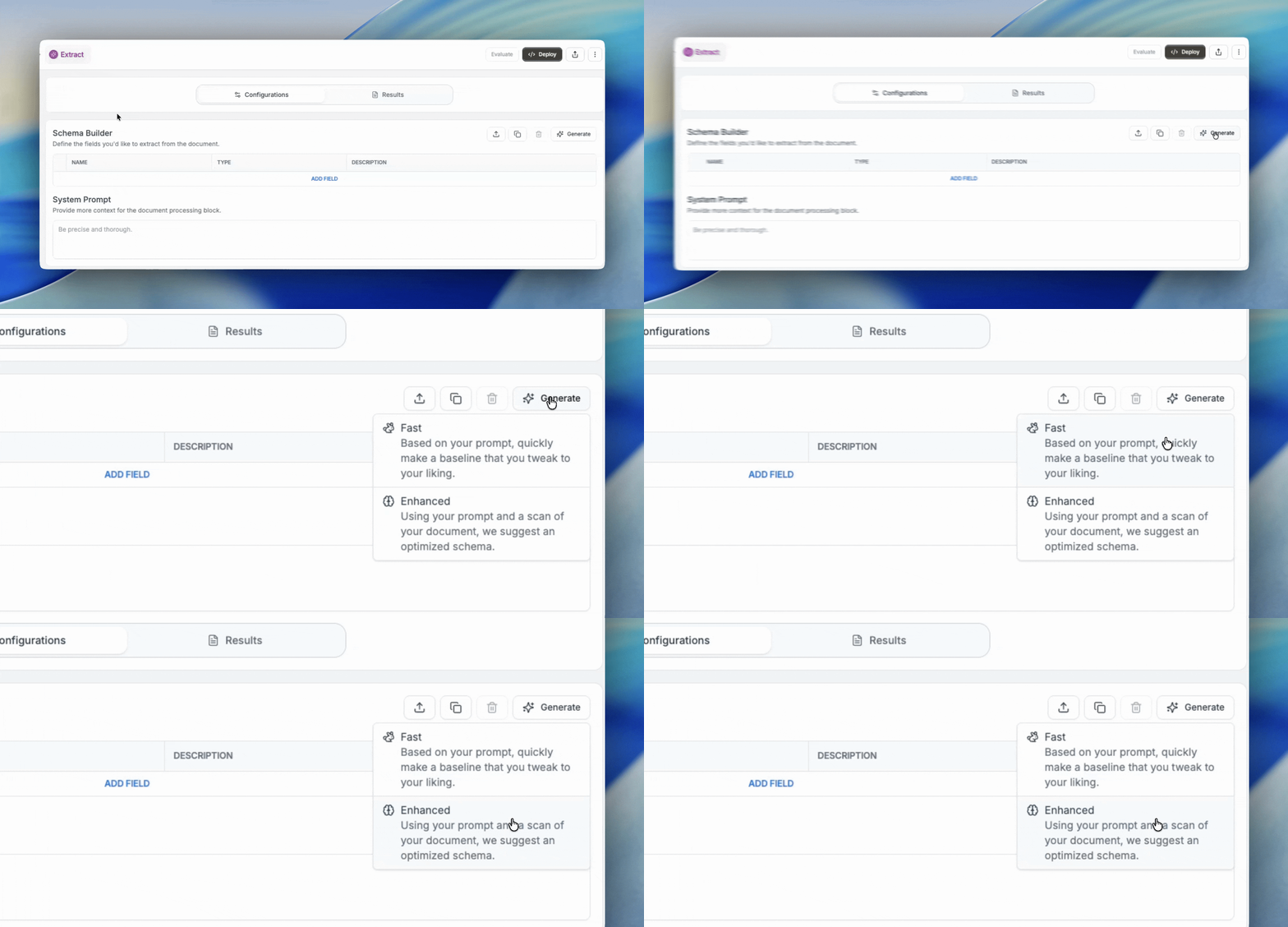
Fast Mode utilizes a lightweight model trained specifically on highly accurate extraction schemas that resemble those deployed to production. Simply describe what you’d like to pull from your document - you can be as vague (“financial statement”) or specific as you’d like - and instantly get a result.
Fast mode prioritizes speed over thoroughness — it skips the initial document analysis phase, so it may lack the full context needed for optimal results. However, we recommend teams that want to see a fast baseline result start off with Fast Mode to see immediate results.
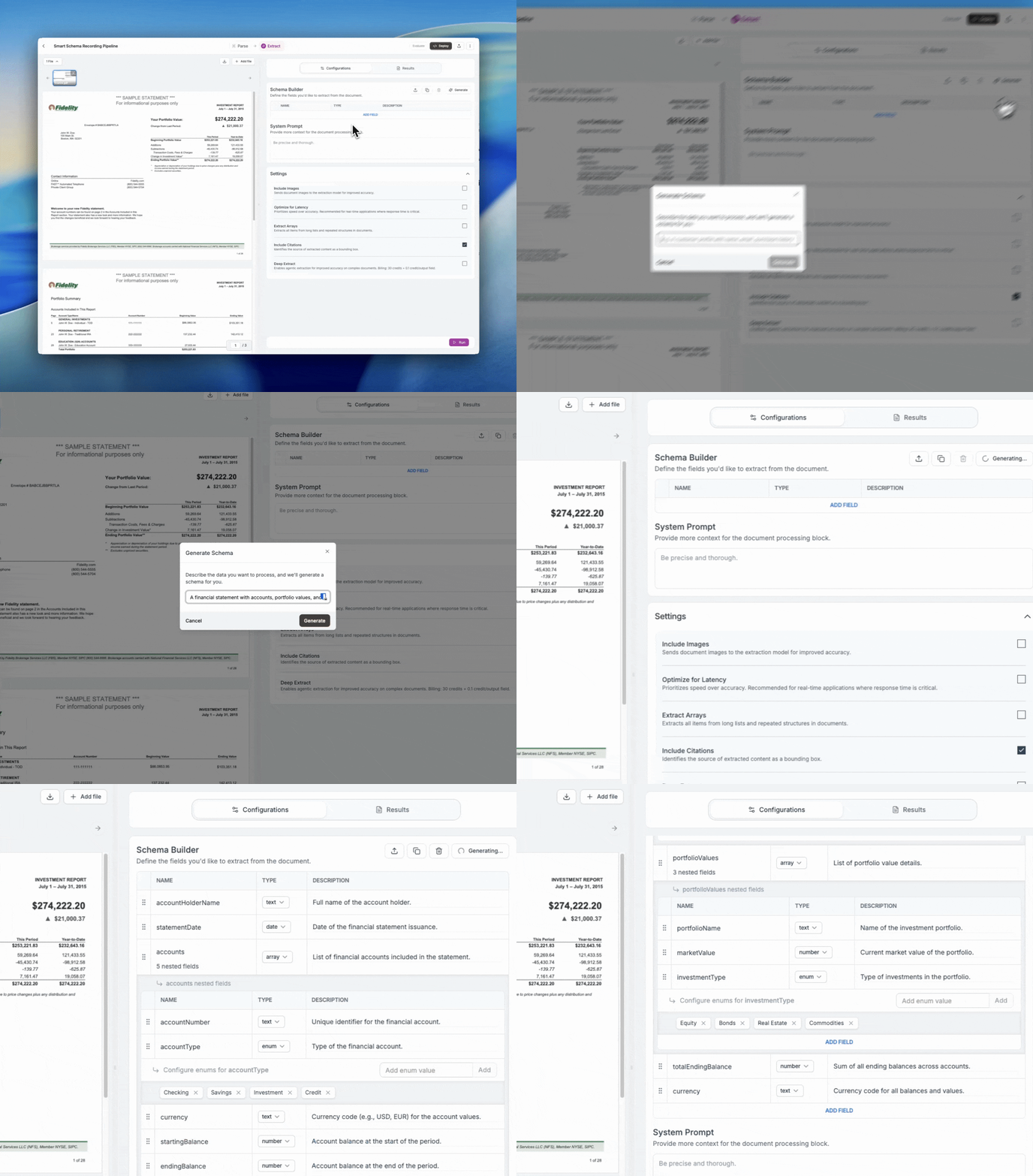
Enhanced Mode is a new mode with enhanced generation and an interactive feedback loop. It takes contextual clues based on the documents’ contents - first at the document-level, then at the field-level (by resolving ambiguities across potential extraction results) to surface and apply potential areas of improvement.
This option is slower than Fast Mode, but can provide higher quality field-level descriptions and system prompts, boosting performance. For those prioritizing accuracy, using Enhanced mode to create your schema will set you up with the best possible outcome.
Improving results with Smart Schema
Either fast or enhanced mode can get you a great start. Once you’ve run either, you can start to optimize your results and make corrections.
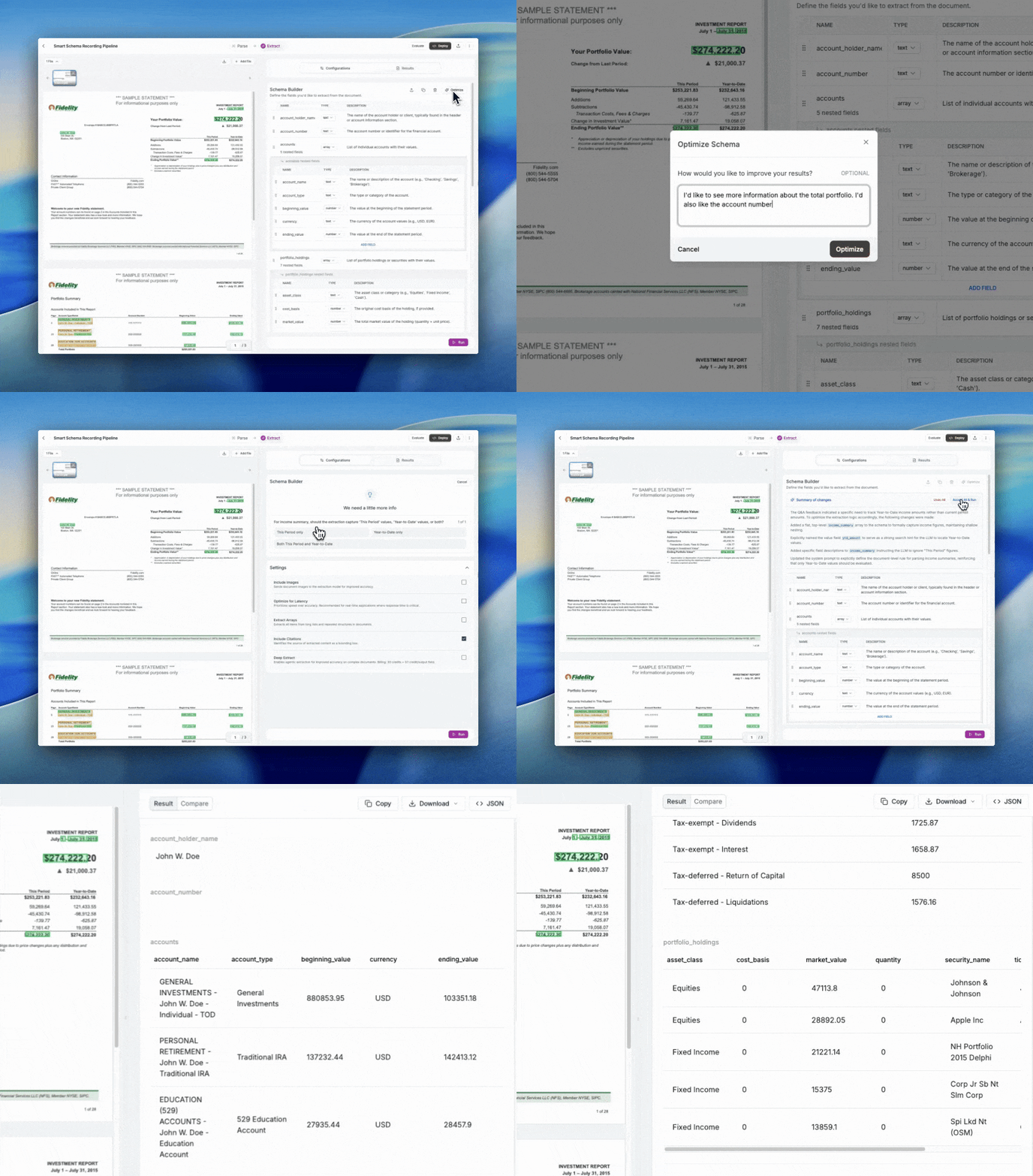
This is where Smart Schema comes in. You can start by describing what you’d like to improve, then in situations where the model needs more information, it can flag ambiguous areas within a schema to prompt you to answer a few questions.
From there you can automatically accept or reject the fixes and re-run your pipeline, seamlessly within Studio.
Getting Started with Smart Schema in Reducto Studio
Smart Schema was built with the most seamless experience in mind for teams that frequently need to stand up new pipelines quickly, while still having the flexibility to refine and optimize over time. We’ve seen massive improvements in extraction accuracy from our user testing, and we’re excited to launch the feature to everyone.
You can try it yourself in Studio in two ways: start from scratch with a fresh document set, or use it to improve an existing pipeline.
You can try it for yourself here: studio.reducto.ai