Deep Extract vs. Frontier Models vs. Humans: The Real Tradeoffs for Long Structured Extraction
Deep Extract trades a higher cost for near perfect accuracy on long, high stakes documents, compared with the manual review process most teams still rely on.
Back in April, we introduced Deep Extract, an agentic extraction mode built for documents that break every other pipeline. Since then, it's processed more than 120 million fields on documents up to 11k pages long in production, and in independent benchmarking against six other extraction systems, it completed all 225 documents in the test set with zero failures, while Claude Opus 4.8 failed to finish nearly half and Gemini 3.1 Pro failed on over a third.
What we haven't talked about as much is the actual tradeoff involved in using it. Deep Extract costs more and takes longer than standard extraction, by design. This post addresses what Deep Extract's cost structure actually reflects, and compares Deep Extract against the process most teams currently rely on, which is manual, field-by-field document review. We'll walk through that tradeoff across four document formats: invoices, financial statements, legal documents, and medical documents.
| Dimension | Frontier model | Human reviewer | Deep Extract |
|---|---|---|---|
| Accuracy on long or dense docs | >50% field accuracy | High, but slows and fatigues at volume | 99–100% field accuracy |
| Speed | Minutes | Minutes to hours per document | Minutes |
| Consistency at scale | Degrades on long documents | Varies by person and by day | Same standard applied to every document |
| Cost basis | Per token | Per hour of skilled labor | Scales with document size and field count (see pricing) |
Context on Deep Extract
Deep Extract is an agentic extraction mode that iteratively refines its output to achieve near-perfect accuracy. Unlike standard extraction, which makes a single pass over a document, Deep Extract runs a loop that verifies and corrects its results against the source document until a quality threshold is met. In practice, that means it checks its own work the way a careful reviewer would, then goes back and fixes what it missed instead of returning a first answer and calling it done.
Deep Extract is billed at more than standard Extract because it scales with both document length and the number of fields extracted (see our pricing page for current rates), and because it's doing more work, it also takes longer than a standard extraction call. We've seen customers achieve up to 99-100% field accuracy just by switching to Reducto’s Deep Extract.
A Closer Look at Document Formats
| Document type | What makes it hard | Frontier model | Human alternative | Deep Extract guarantee |
|---|---|---|---|---|
| Financial invoices | Line items must be captured in full and reconcile to the total | Misses or miscounts rows on longer invoices | AP clerk re-adds line items by hand, 10–15 min each | Extracts every line item and iterates until they sum to the stated total |
| Financial statements | Numbers must stay internally consistent across many pages | Accuracy drops as page count grows | Analyst confirms assets = liabilities + equity, 1–2 hrs | Verifies transactions sum to statement totals, at any length |
| Legal documents | Dense, defined terms and cross-references | Loses track of references across sections | Slow, careful manual review | Checks its own output against the source before returning |
| Medical documents | Sensitive data and procedure codes | Single-pass errors trigger costly rejections | Billing specialist cross-references codes, minutes per form | Every field verified against a stated entry count before it's done |
1) Financial Invoice Extraction
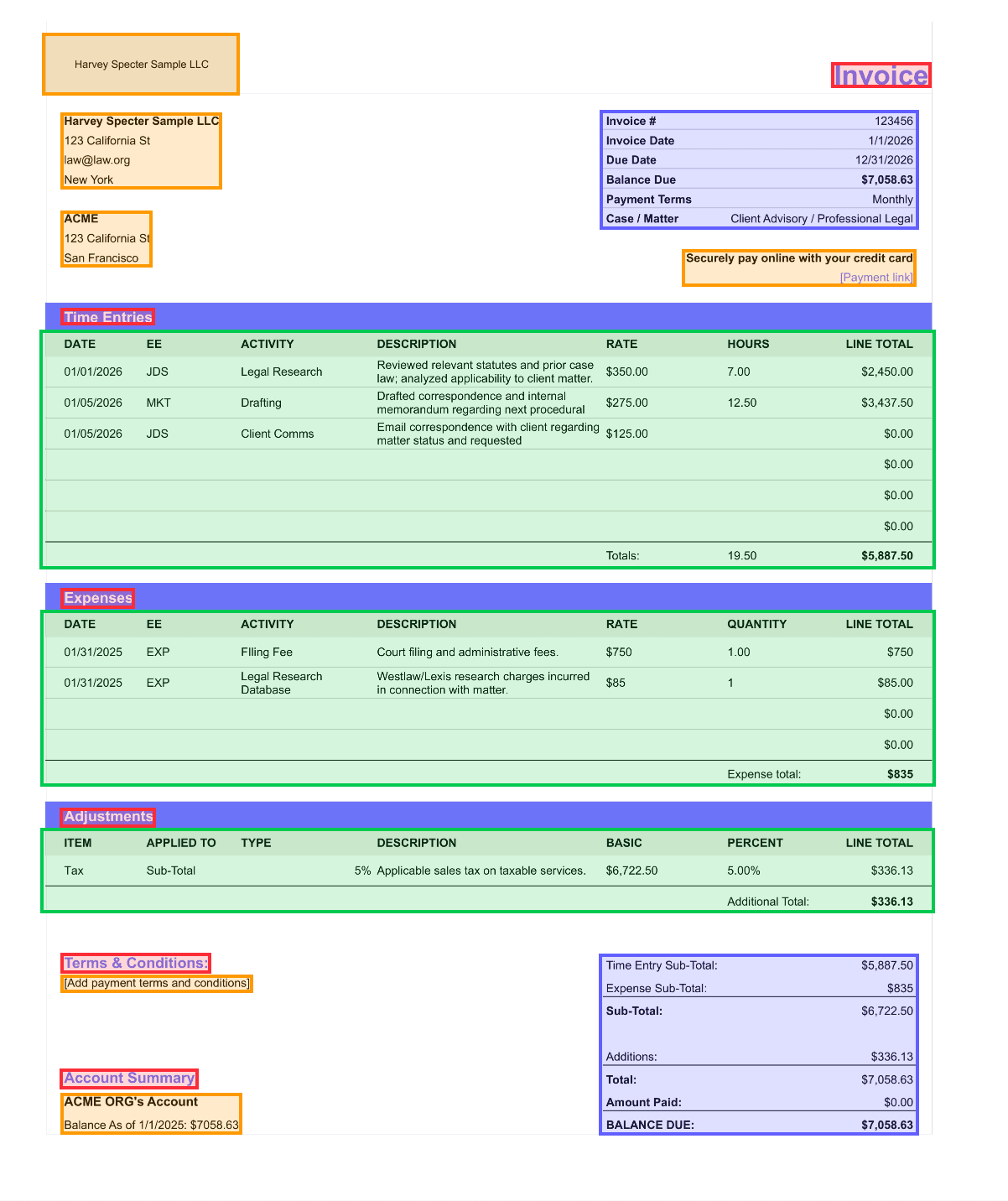
Input: Take a multi-page financial invoice with line items, subtotals, tax, and a final total, where the end goal is to ensure every line item is captured and that totals reconcile with the sum of individual amounts.
Result: A 5-page invoice with around 40 extracted fields hits Deep Extract's per-document minimum and finishes in a couple of minutes.
Alternative: Manually, an AP clerk would re-add 40 line items and confirm they sum to the invoice total, a process that realistically takes 10 to 15 minutes per invoice and remains prone to arithmetic errors at volume, the exact failure this check exists to catch. Deep Extract handles the same reconciliation as a verification criterion, prompting the system to extract all line items and iterate until they sum to the stated total, applying that standard consistently across every document without any decline in accuracy at scale.
2) Financial Statement Processing
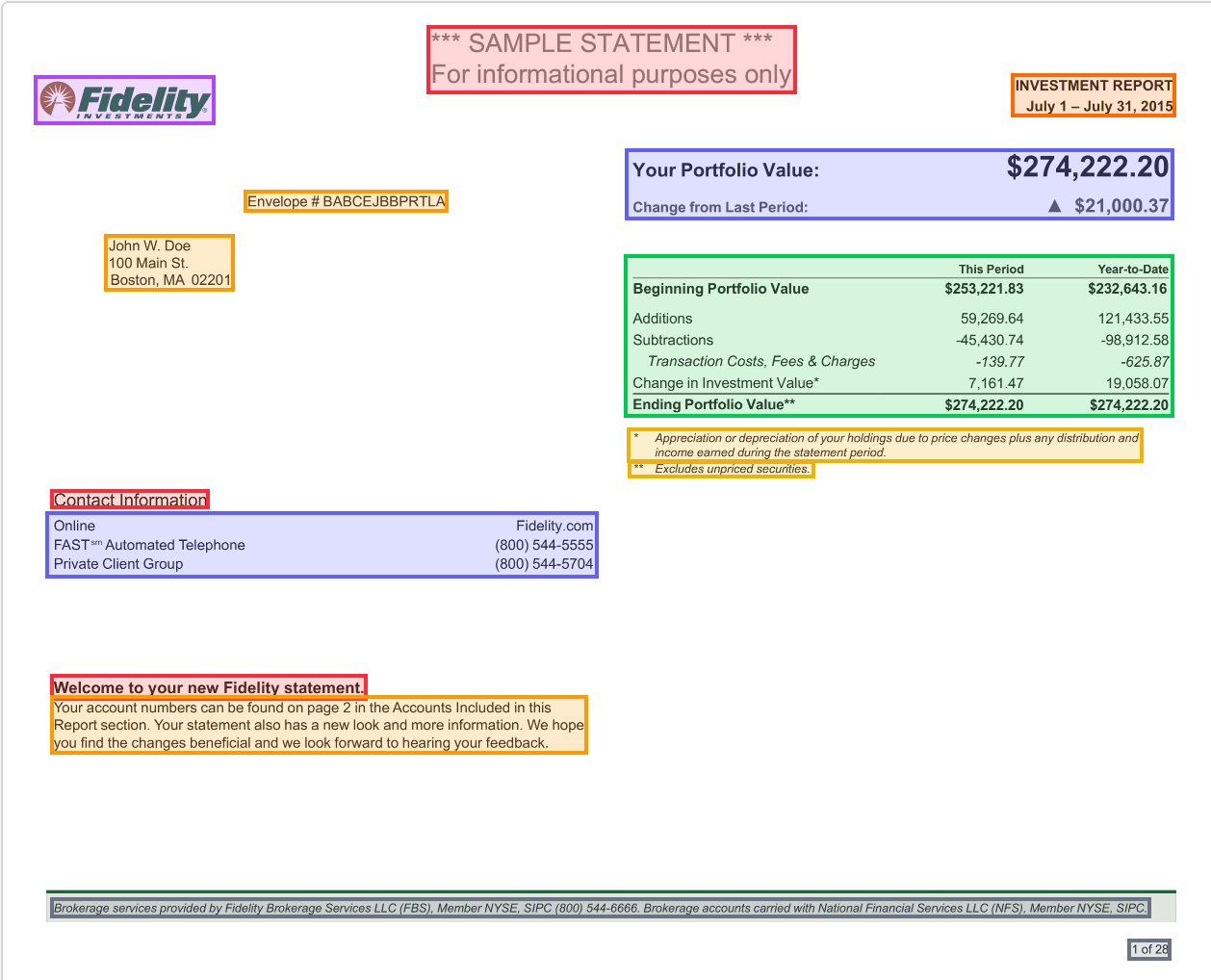
Input: Balance sheets, income statements, and cash flow data where numbers must be internally consistent.
Result: A 40-page statement with roughly 200 fields still completes within a matter of minutes regardless of the density of the document.
Alternative: A financial analyst manually confirming that assets equal liabilities plus equity across 40 pages, which realistically takes 1-2 hours of focused work per statement, every time a new one comes in. You can set that exact reconciliation as your verification criterion, prompting Deep Extract to verify that the sum of all transaction amounts equals the statement total, so the check that used to define someone's afternoon happens as part of the extraction itself.
3) Legal Document Extraction
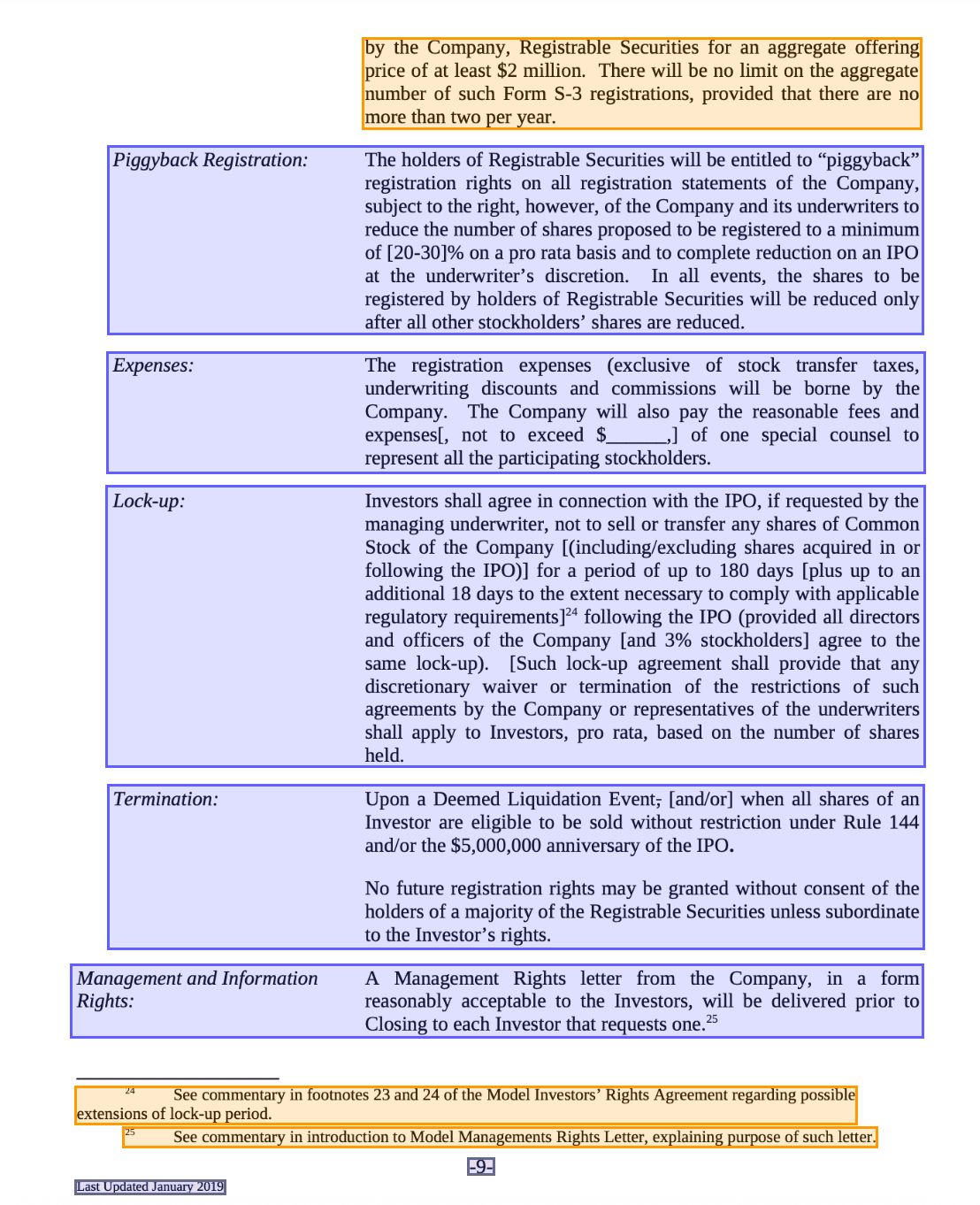
Input: Here the stakes are pulling clauses, dates, and party information from contracts, where missing a single field has real consequences.
Result: A 15-page contract with around 30 extracted fields costs about 63 credits.
Alternative: The tradeoff here is risk-focused rather than cost-related. A paralegal conducting a final contract review to confirm every party and date is captured correctly might spend 20-30 minutes on it, but the real point of concern is the aftermath of an omission slipping through undetected. A prompt like "confirm that all parties listed in the signature block are captured in the parties array" fosters a verification criterion built for exactly that failure mode, catching it before the document ever reaches a human's desk.
4) Medical Documents
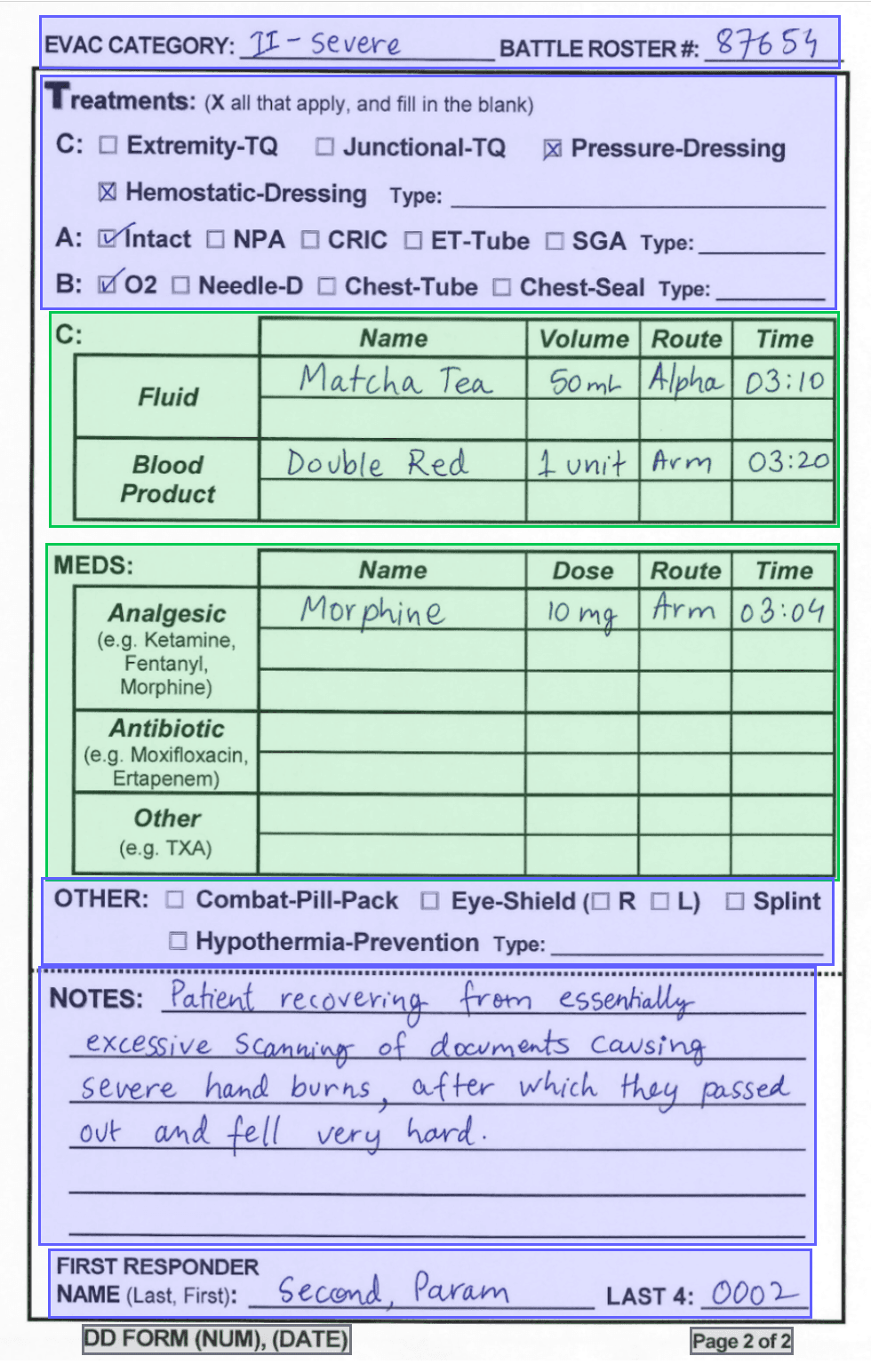
Input: These hold sensitive patient data, procedure codes, and billing amounts that must be complete and correct.
Result: An 8-page document with about 60 fields is processed in the same automated pass.
Alternative: A billing specialist cross-referencing procedure codes against claim totals will typically take 10-20 minutes per form. Downstream, a rejected claim because of one missed procedure code can lead to a multi-week resubmission cycle and delayed reimbursement. Deep Extract's ability to verify that every row in a table is captured against a stated entry count is aimed squarely at catching the exact kind of gap that causes these rejections in the first place.
Weighing the Tradeoff
To reiterate, if your extraction is simply limited to a handful of scalar fields from a short document, standard extraction is sufficient. Deep Extract earns its cost on documents that are long, repetitive, or high-stakes enough that an error actually matters.
For everything else, how a team's time is best allocated is the most relevant consideration. The real tradeoff worth evaluating before reviewing a pricing page is whether Deep Extract actually costs less than the time of the person who would otherwise be performing the task manually, and how that time could be better allocated.
Deep Extract is currently available as a configuration for our Extract endpoint and can be enabled by setting deep_extract: true in your extract settings and optionally adding verification criteria to your system prompt.
For Developers: Full documentation at docs.reducto.ai.
For Enterprise teams: If you're processing high-stakes documents at scale and want to talk through whether Deep Extract is the right fit, reach out to us directly.


